
AnaloC-CV
One reverb. Your whole reverb world.
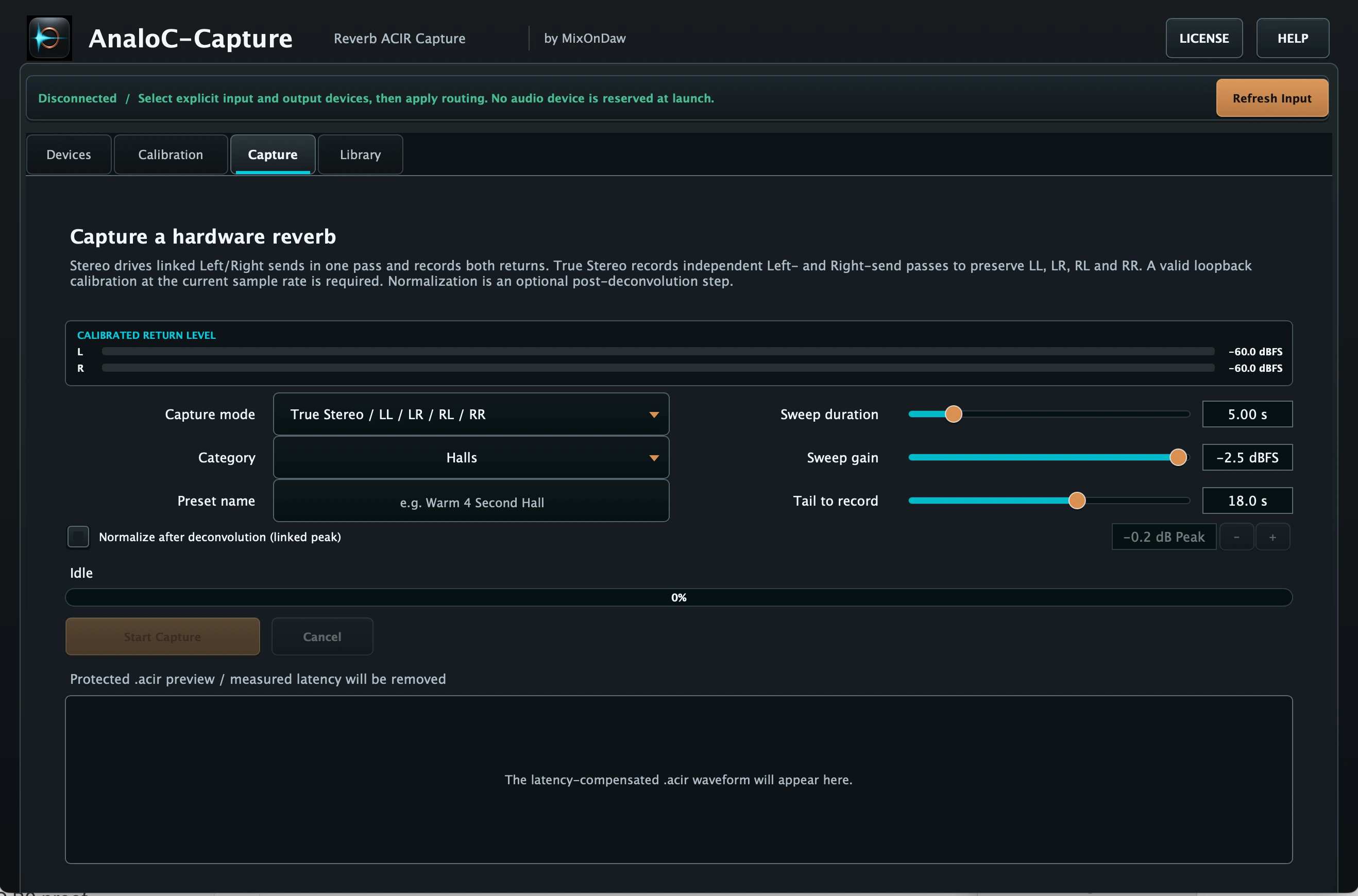
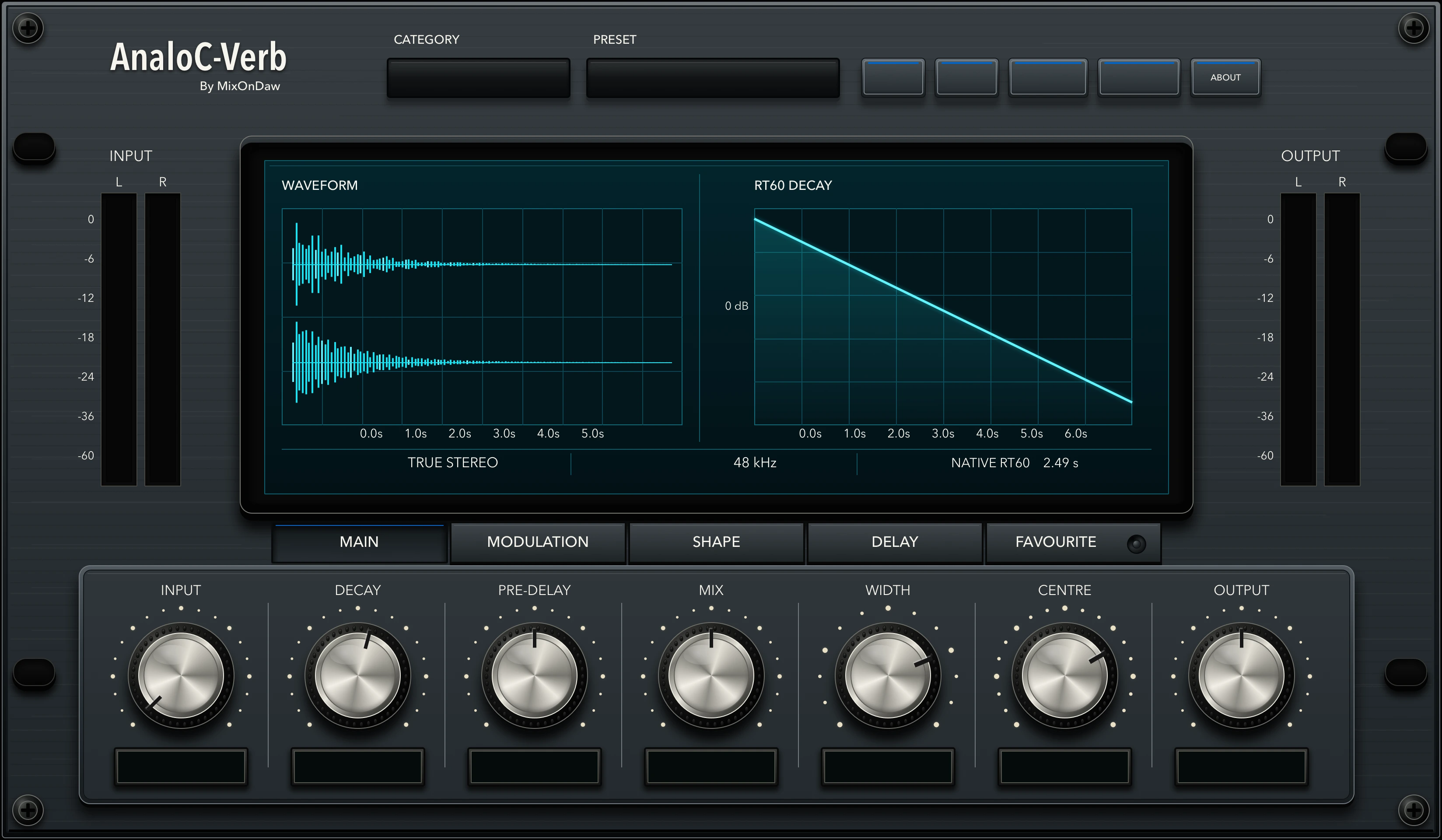
Capture the character and decay of a reverb you value, preserve it through MixOnDaw ACIR technology, and bring that space into a focused modern production environment.
In one sentence: AnaloC-CV is a connected macOS Capture + Verb system that records hardware or software reverb presets as ACIR files and plays those captured spaces inside AnaloC-Verb.
Bring old reverbs back to life.
Studios collect spaces across years of work: hardware boxes with a signature decay, software reverbs tied to older systems, and settings that belong to a particular production. AnaloC-CV connects Capture and Verb through MixOnDaw ACIR technology so those reverb spaces can move forward with the session. Capture handles the measured reverb workflow while Verb provides the environment where compatible captured spaces become practical, playable mix tools, creating one connected route from a reverb source to a modern production.
Measure the space, not a screenshot of it.
AnaloC-Capture provides a dedicated path for calibration, capture mode, sweep, return, and reverb-tail decisions. ACIR HD captures high-definition Stereo and True Stereo spaces, preserving independent left and right sends wherever the connected setup supports them.
Capture the behavior of a reverb you value, give it a clear place in your library, and carry it forward into future sessions.
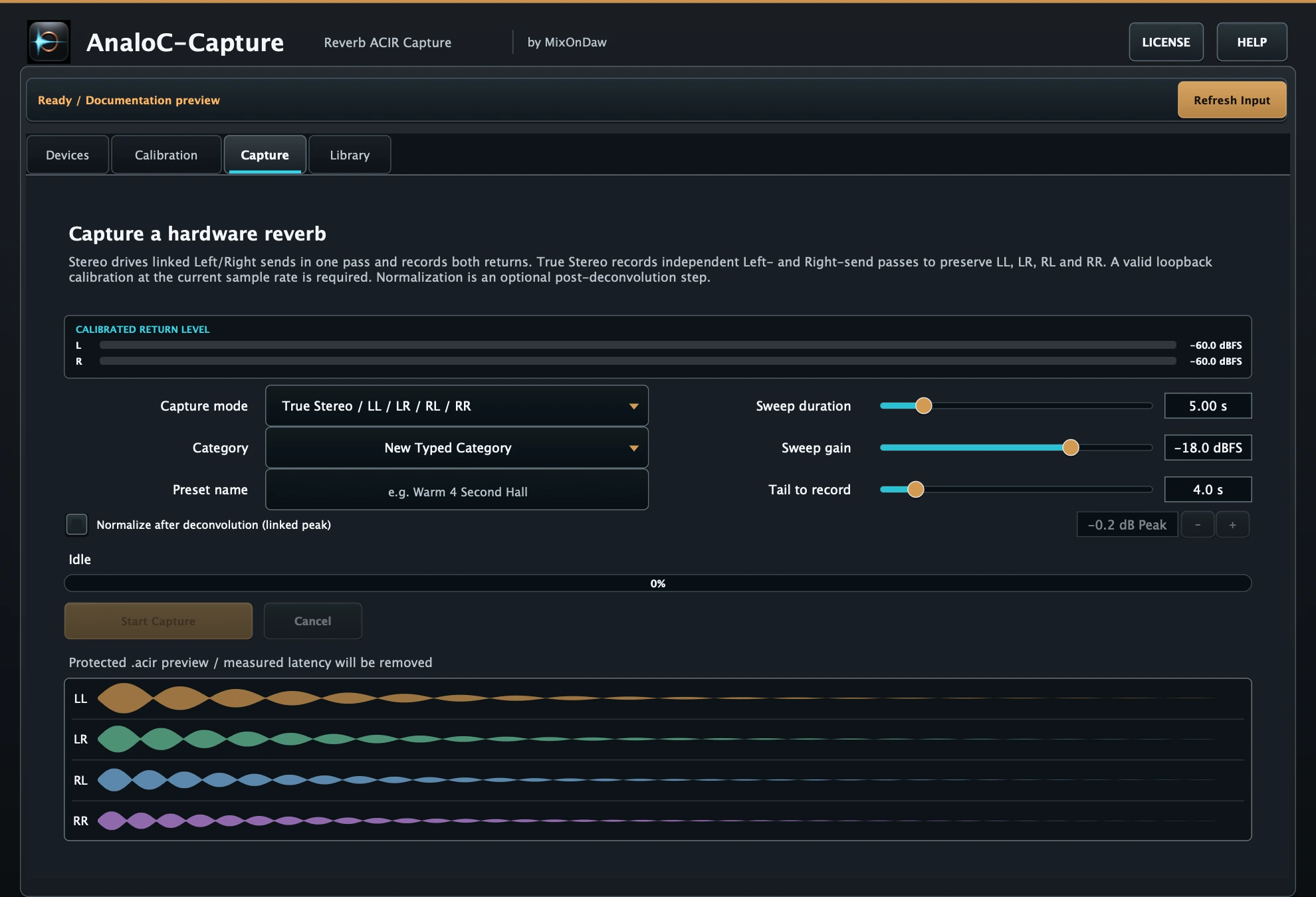
Capture it. Preserve it. Bring it into Verb.
MixOnDaw ACIR technology connects Capture with the compatible playback environment in Verb. Captured spaces stay organized and ready to audition, so a valued reverb can become part of a modern session without losing its identity.
Shape the captured space inside Verb.
Verb brings the compatible space into a focused production environment with its waveform, decay view, library workflow, and practical mix controls visible together. The captured character remains the starting point; the session still decides how it should sit.
- Capture
- Dedicated reverb capture application
- Verb
- Captured-reverb playback environment
AnaloC-Verb inside AnaloC-CV
Built to stay heard. Designed to stay felt.
Explore the playback, shaping, preset and recall side of the connected AnaloC-CV workflow.
A reverb you don’t lose in the mix.
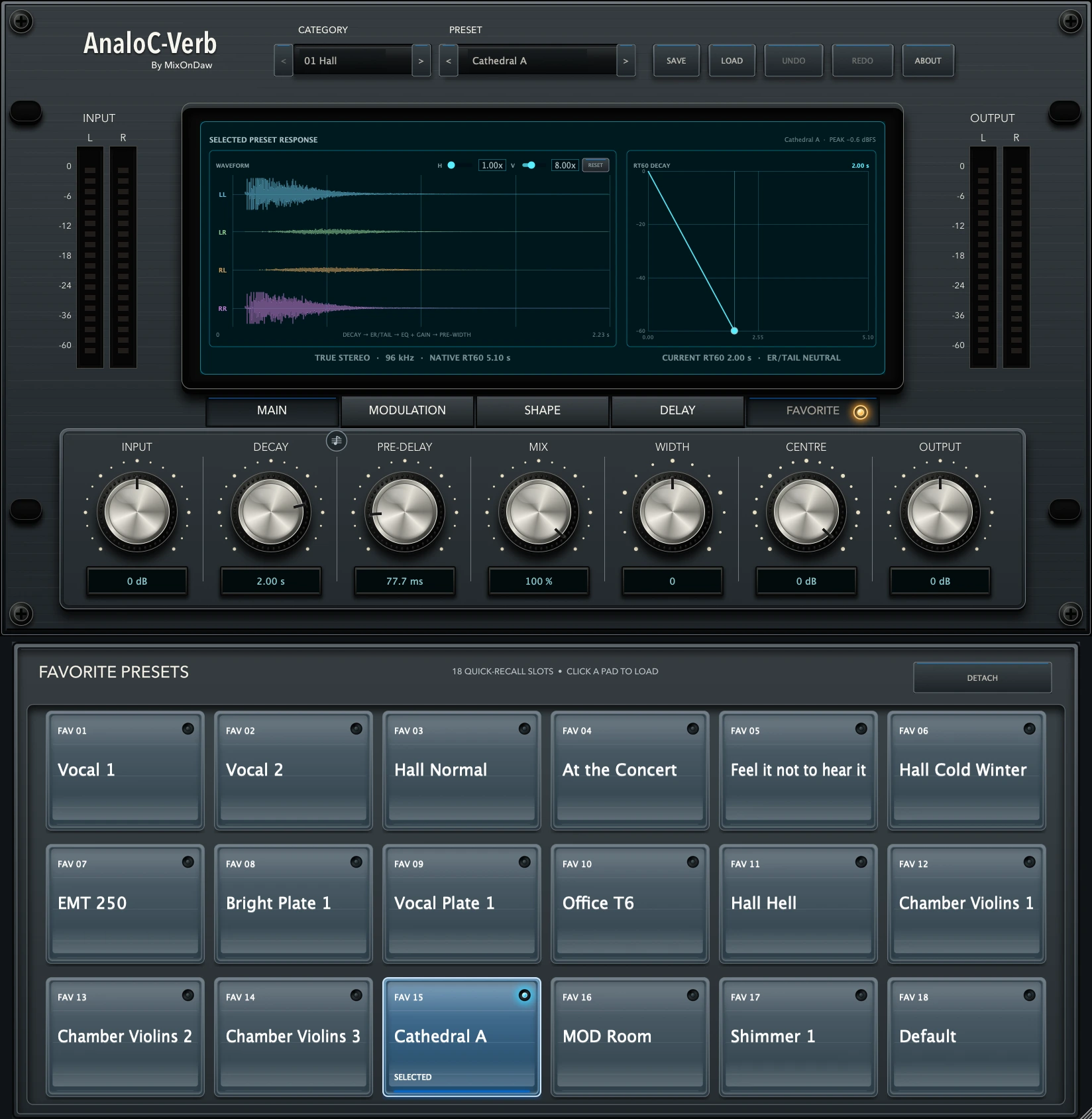
AnaloC-Verb brings captured reverb spaces into one focused playback, shaping, preset and recall environment. Input, Decay, Pre-Delay, Mix, Width, Centre and Output stay together beneath a waveform and RT60 display, keeping the native capture and current decay visible while you shape the space.
Factory responses, User Capture files, saved user presets and installed expansions meet in the Category and Preset browser. Save creates an editable user preset without changing the protected .acir source; Load, Undo and Redo remain in the same toolbar.
Motion inside the space.
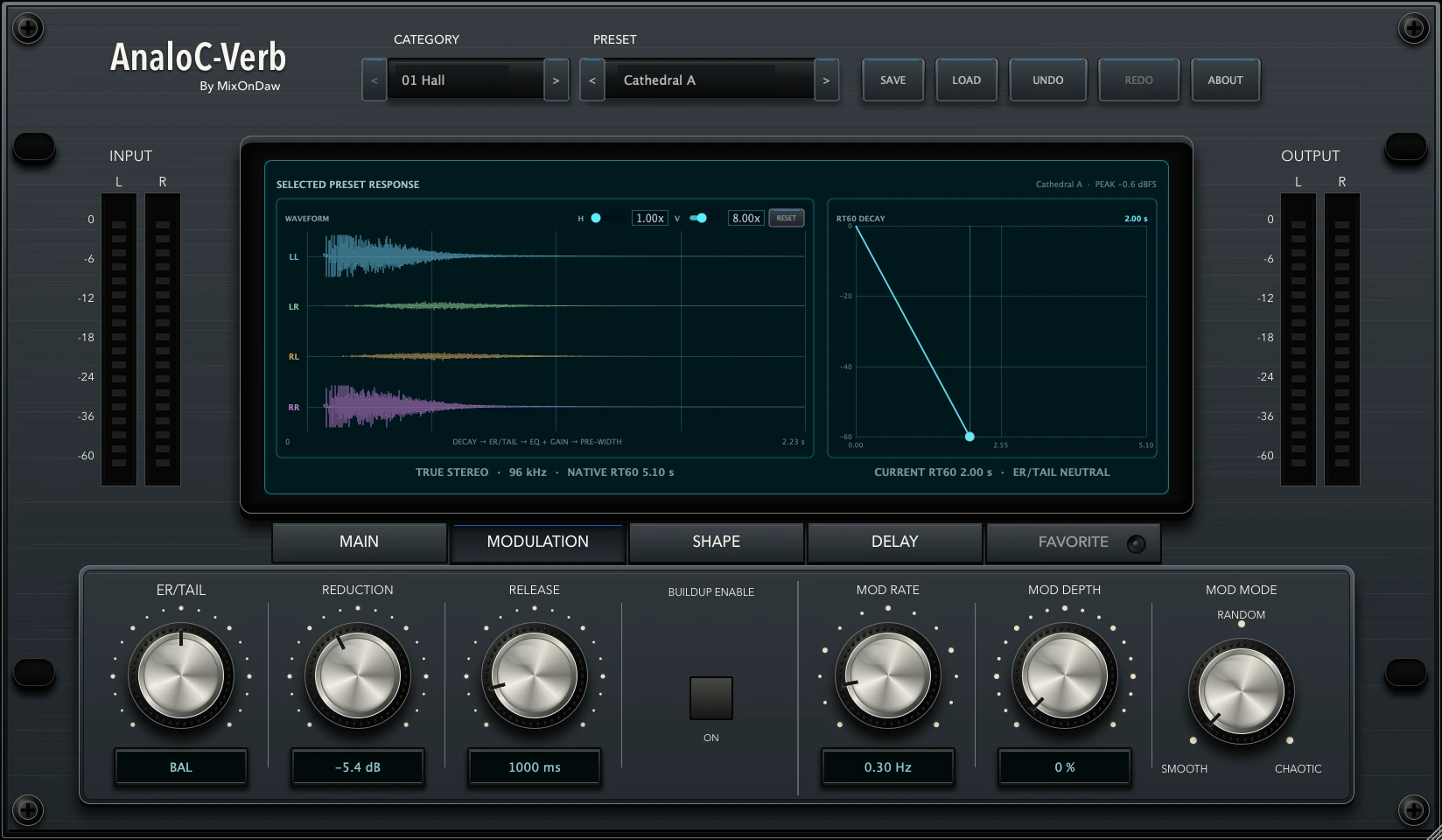
ER/Tail moves the balance from the early response through the captured balance to the late tail. Late-tail Mod Rate and Mod Depth add movement with Smooth, Random or Chaotic behavior.
Auto Buildup is a separate wet-only resonance control: Reduction sets its maximum strength and Release sets how quickly it recovers. The protected source remains unchanged.
Delay in the same instrument.
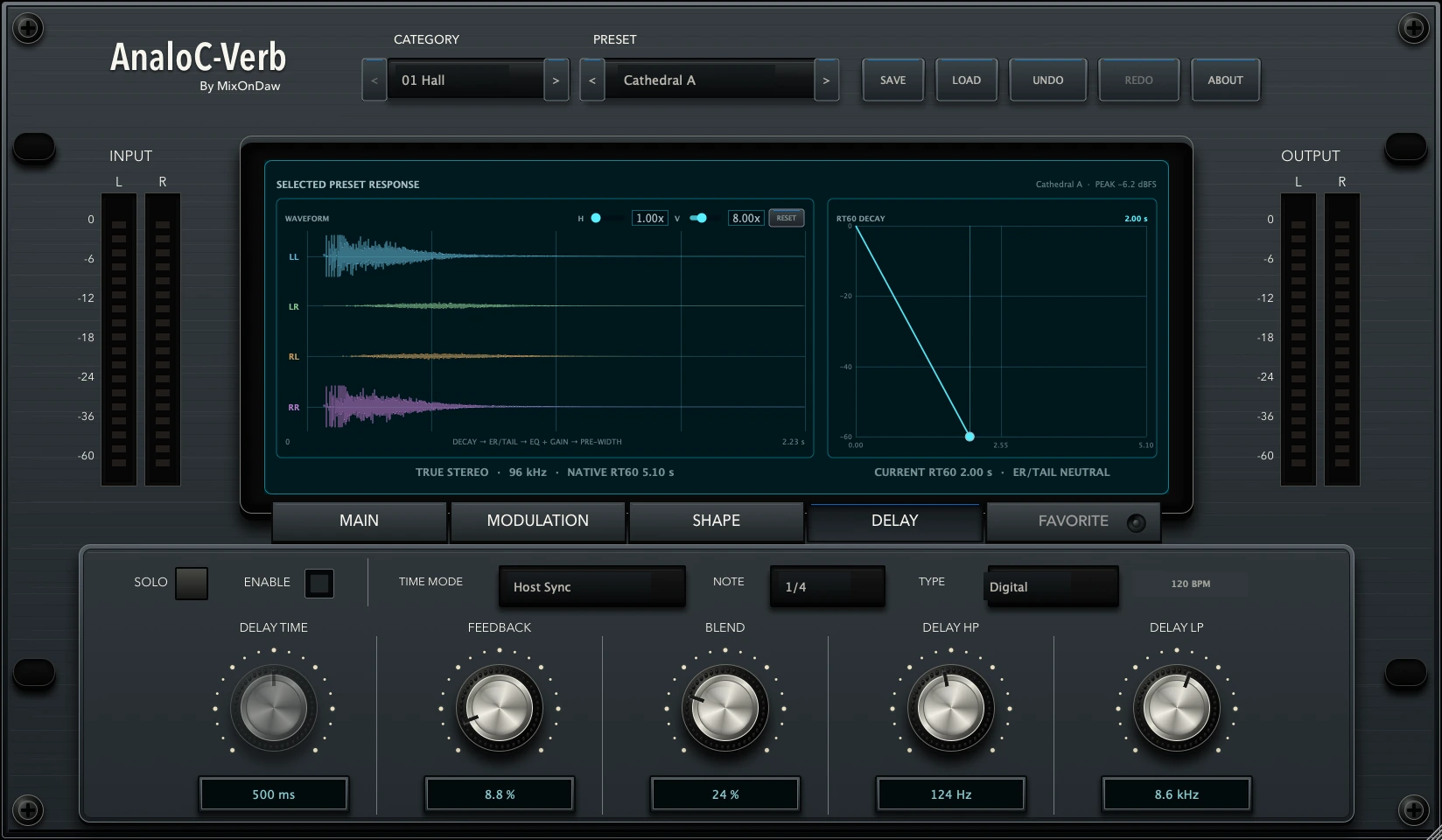
Enable a filtered parallel delay branch and work in milliseconds or Host Sync. Timing runs from 1–4000 ms or musical values from 1/1 to 1/32, including straight, dotted and triplet choices.
Digital, Tape, Ping Pong and Stereo types combine with Feedback, Blend, high-pass and low-pass filtering. Solo isolates the delay for adjustment, then returns it to the complete reverb path.
Favorites. Eighteen shortcuts.
Each pad is a persistent shortcut to one exact Category and Preset browser row—not a copy of the captured source. Open FAVORITE to show the drawer, then use a pad’s menu to assign or reassign any available preset. An empty pad opens its assignment menu; choosing an assigned pad recalls it through the normal browser load path.
The pad menu also provides Clear Favorite Pad. Only the active pad remains selected, and all assignments persist until you clear or replace them.
The drawer can be shown or hidden, detached into an independent window, and re-docks automatically when that detached window is closed.
Hear It in the Mix
Switch between the original source and the reverb result at the same point in the performance.
Drums
0:00 / 0:00Drum Percussion
0:00 / 0:00Snare
0:00 / 0:00Acoustic Guitar
0:00 / 0:00Nylon Guitar
0:00 / 0:00Synth 1
0:00 / 0:00Synth 2
0:00 / 0:00Violins
0:00 / 0:00Vocal
0:00 / 0:00Formats & compatibility.
- Formats
- AU, VST3, AAX Native, AudioSuite
- Platform
- macOS, Apple silicon and Intel
- Libraries
- Factory, User, User Capture, Expansions
- Routing
- Stereo and True Stereo ACIR playback
AnaloC-CV questions.
How does the AnaloC-CV capture workflow work?
AnaloC-Capture records a hardware or software reverb preset as an ACIR file. Open AnaloC-Verb, choose User Captures, and select that ACIR to use the captured space in your session.
What audio interface is required for hardware reverb capture?
Hardware capture requires an audio interface with more than two inputs and more than two outputs to provide the necessary send-and-return routing.
Does AnaloC-CV support Stereo and True Stereo?
Yes. The connected workflow supports Stereo and True Stereo ACIR capture and playback when the routing setup provides the required independent channel paths.
$350.00
Add to Cart